
Is a second screen a better answer than a bigger laptop?
A laptop with a 17-inch screen costs several times what a portable monitor does, and buying one means replacing a machine that probably works fine. A second screen sits beside the one already on the desk, switches off when it is not wanted, and moves to another room when it is. The trade-off is space: a panel this size needs a table, not a lap.
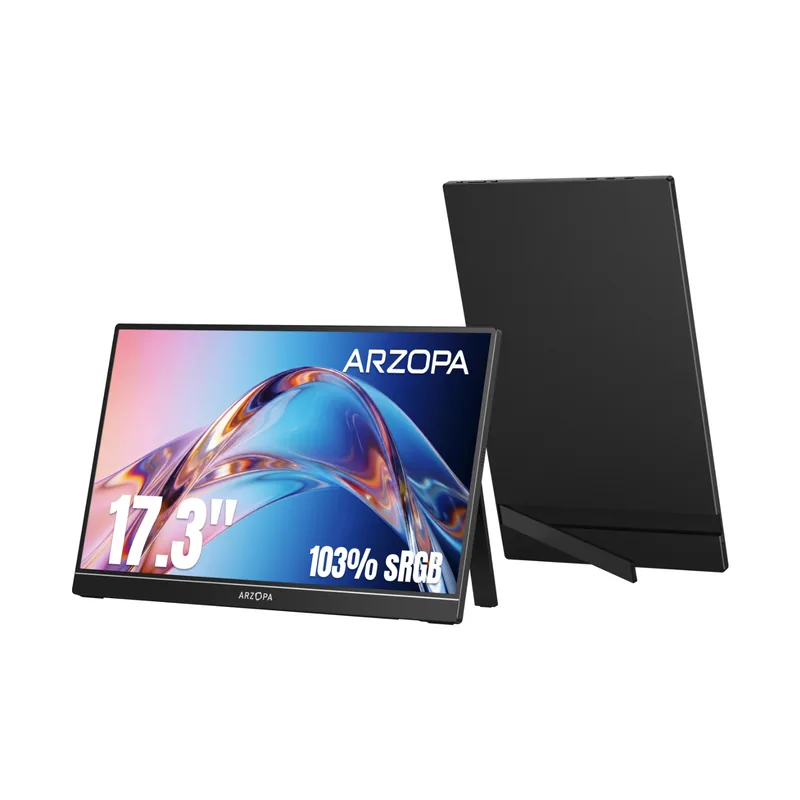
Arzopa A1M 17.3-Inch Portable Monitor
A 17.3-inch 1080p portable second screen that runs from a single USB-C cable and weighs two pounds, putting laptop text at a readable size.
Key Features
- IPS panel with 178-degree viewing angles, so the picture holds its color when read from the side or from below
- Low blue light and flicker-free modes are built into the monitor's own menu, for sessions that run past an hour
- Two full-function USB-C ports and a mini HDMI input: the spare port takes a phone charger when a laptop cannot power the panel on its own
- The kickstand is part of the back plate and holds its tilt, so nothing extra is needed to stand it on a desk or a kitchen table
- Duplicate, Extend and Second Screen modes, plus a pair of 1-watt speakers for video calls without adding a soundbar
Best for
Anyone who works or reads on a laptop and finds the built-in screen too small to sit at comfortably for long
An adult child setting up a parent's desk who wants larger type without buying a replacement computer.
Worth knowing
Stretching a full-HD image across a panel this size gives lower pixel density than most laptop screens, so type looks slightly softer up close and the display suits sitting back from it. Many laptops made before roughly 2018 have ports that carry data but not video; on those, the HDMI cable is the way in. It is a large thing to carry, too — a bag cut for a 15-inch laptop will not close over it.
I may earn a commission at no extra cost to you.
Is the Arzopa A1M portable monitor worth it?
Arzopa builds portable displays and little else. The line runs from a 13.3-inch panel up through 15.6 and 16.1 inches, and the A1M sits at the top of it. Ordering direct ships free and usually arrives within a few days.
There is no software to install. Windows and macOS both treat the A1M as an ordinary external display, so the desktop extends onto it the first time it is connected. Brightness and mode changes are made on the panel itself rather than through the computer.
Three cables come in the box: USB-C to USB-C, USB-C to USB-A, and mini HDMI to HDMI. That covers a modern laptop, an older one, a desktop tower and a game console without a trip to the store. Arzopa lists a 12-month warranty on this model.
Frequently Asked Questions
If the laptop's USB-C port carries video, one cable does everything. If it does not, the HDMI cable handles the picture and the spare port takes power from a phone charger.
Either. Windows and macOS set scaling per display, so the choice is more room at the same size, or larger type than the laptop screen allows.
No. The kickstand is built into the back plate and holds the angle on a desk or a table.
There is nothing to install. Connecting the cable is the whole setup, and the display settings are the ones already built into Windows and macOS.
How does it compare?
Other options in this category worth considering.
| Product | Price | Best for |
|---|---|---|
| Arzopa A1M 17.3-Inch Portable Monitor This pick | $123–$190 | Anyone who works or reads on a laptop and finds the built-in screen too small to sit at comfortably for long | An adult child setting up a parent's desk who wants larger type without buying a replacement computer. |
| Ideerfit 28-Day Automatic Pill Dispenser | $144–$144 | Seniors on a once-daily round whose hands make weekly boxes and fiddly lids the real obstacle. | A gift that automates the pill schedule for a parent who has refused every gadget that needs setting up. |
| Chromebook with Senior Setup | $200–$350 | Seniors who want a laptop purely for email, video calls, and browsing — nothing to maintain, update manually, or worry about. Automatic updates, no antivirus needed. | A low-maintenance laptop gift for a parent who just wants email and video calls without the upkeep of a Windows PC or the cost of a Mac. Always up to date. |
| Kindle Paperwhite (12th Gen) | $145–$180 | Seniors who love reading but struggle with heavy books or small print. Adjustable font, glare-free screen, and thousands of titles available instantly. | One of the most consistently well-received tech gifts for a reading parent. Lightweight, glare-free, waterproof — just connect to home Wi-Fi and it is ready. |
Prices are approximate ranges — check each retailer for today's price.
More in this category
Browse Adaptive TechLast updated: .