
What makes the Amazon Fire HD 10 a practical first tablet for a senior — and what are its limits?
The Fire HD 10 is priced at a level where the purchase decision carries low financial risk, and it ships with Alexa built in — allowing voice control of most functions without touchscreen navigation. The 10-inch screen is large enough for comfortable reading and video calling.
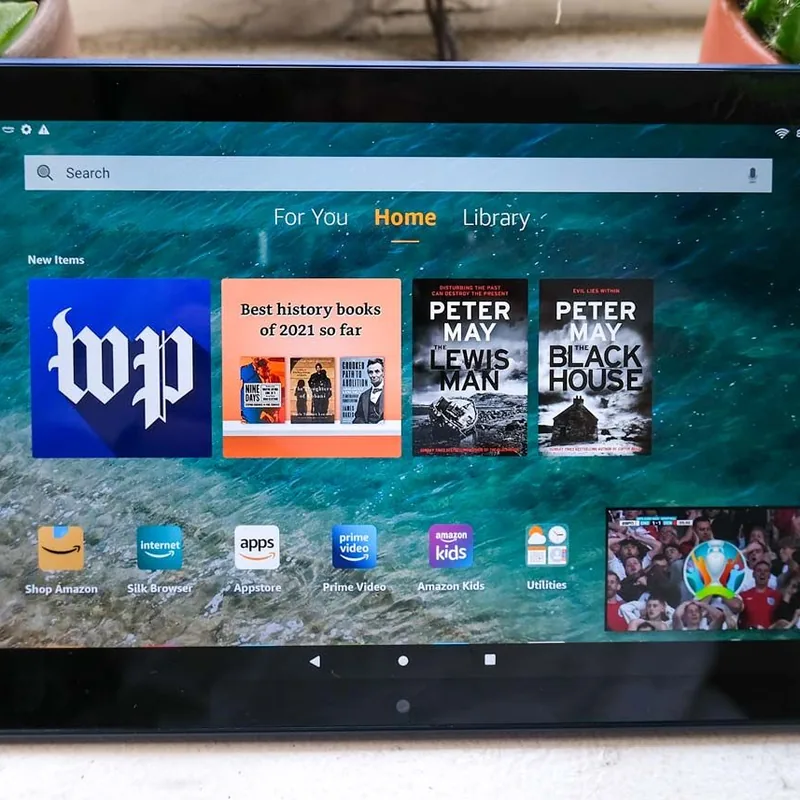
Amazon Fire HD 10 Tablet
I have used this product myself.
10.1-inch screen, built-in Alexa, and a straightforward interface. The most practical tablet for seniors at this price.
Key Features
- 1080p resolution with adjustable text size — large print stays sharp instead of turning blocky when it is scaled up
- Show Mode: one tap switches to a hands-free display — video calls, weather, and smart home controls without touching the screen
- 12-hour battery life — lasts all day without recharging
Best for
Seniors already comfortable with Alexa who want a tablet for video calls, reading, and entertainment. Familiar interface, large screen, and an affordable entry point.
An affordable tech gift that feels familiar from day one — especially for a parent already using an Echo device. Video calls, reading, and entertainment in one tablet.
Worth knowing
Uses Amazon's Fire OS, not Android. App selection is more limited than an iPad. Google apps (Maps, Gmail) are not natively available.
I may earn a commission if you buy through this link, at no extra cost to you.
As an Amazon Associate I earn from qualifying purchases.
How this works
Are Amazon Fire tablets good for seniors?
Tablets are genuinely useful for seniors — video calls with family, books, news, photos, and entertainment. The challenge is choosing one that won't become confusing after day one.
The Fire HD 10 hits a practical sweet spot: the screen is large enough for comfortable reading, Alexa integration means common tasks can be done by voice, and the price is low enough that it is not a stressful purchase if not fully used.
Amazon's Show Mode transforms the tablet into an always-on information panel — clock, calendar, weather, and incoming calls visible at a glance without picking up the device.
Frequently Asked Questions
Zoom is available via the Amazon Appstore. FaceTime is Apple-only and not available on this device. Amazon's own video calling via the Alexa app works well as an alternative.
Yes — display size and text size are both adjustable in settings. The 10.1-inch screen means even default sizes are comfortable for most users.
You might also consider
A few more gift ideas worth a look.
| Product | Price | Best for |
|---|---|---|
| Amazon Fire HD 10 Tablet This pick | See Amazon | Seniors already comfortable with Alexa who want a tablet for video calls, reading, and entertainment. Familiar interface, large screen, and an affordable entry point. | An affordable tech gift that feels familiar from day one — especially for a parent already using an Echo device. Video calls, reading, and entertainment in one tablet. |
| Ideerfit 28-Day Automatic Pill Dispenser | See Amazon | Seniors on a once-daily round whose hands make weekly boxes and fiddly lids the real obstacle. | A gift that automates the pill schedule for a parent who has refused every gadget that needs setting up. |
| Apple AirTag (2nd Generation) | See Amazon | Seniors who frequently misplace keys, a wallet, or a bag. | A low-cost gift adult children buy after too many "I can't find my keys" phone calls. |
| Jitterbug Flip2 by Lively | See Amazon | Seniors 70+ who want a mobile phone for calls and texts without the confusion of a modern touchscreen — loud speaker, bright screen, simple menu. | A gift for a parent who misses calls, can't hear the speaker, or finds smartphone navigation overwhelming — works like a phone should, nothing more. |
Prices are approximate ranges — check each retailer for today's price.
More in this category
Browse TabletsLast updated: .