
Is the Echo Dot powerful enough for a senior's daily needs, or is a larger Echo worth the extra cost?
For the most common senior use cases — timers, reminders, weather, news briefings, and hands-free calling — a compact smart speaker's functionality is identical to a larger model at a lower price. Where it falls short is music quality; the bass response is limited. It is the right starting point; upgrading to a screen-equipped model later is straightforward.
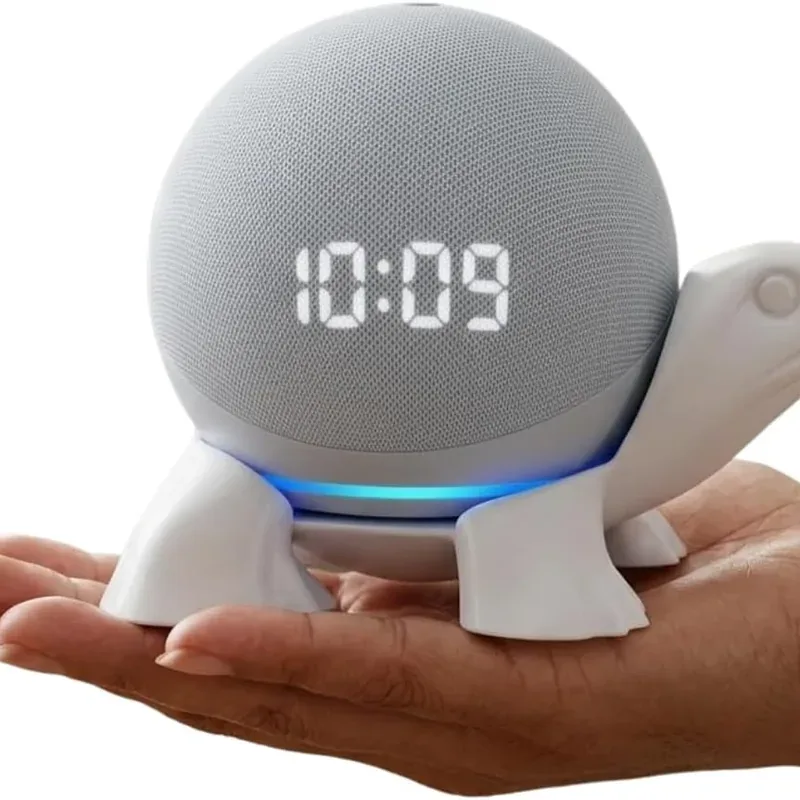
Amazon Echo Dot (5th Gen)
A smart speaker operated entirely by voice — no screen, no buttons, no phone to find. Clearer audio, a temperature sensor, hands-free calling.
Key Features
- Reminders are set by speaking and then repeat on their own schedule — 'Alexa, remind me every day at eight to take my tablets' is spoken aloud at the device, not buried in a phone notification
- Drop In lets an approved family member connect to the device directly, so a parent who has fallen or cannot reach a handset does not have to answer anything
- Voice control of lights means a dark hallway can be lit from bed, which removes one of the most common night-time fall scenarios
- Announcements broadcast a spoken message to every Echo in the house at once — useful in larger homes where calling out does not carry
- Recognizes different voices, so two people in the same household get their own reminders and calendars from one device
Best for
Seniors living independently who have quietly stopped using devices that ask too much of them — small buttons, fine print, and menus that never stay where they were
Adult children buying for a parent who insists they are not good with technology, and who has turned down a tablet or a smartphone before.
Worth knowing
The microphone listens continuously for its wake word, which some households are not comfortable with; there is a physical mute button that disables it, and voice recordings can be set to delete automatically. It is not a medical alert device and should not be relied on as one — it cannot summon emergency services dependably, and a person who has fallen may be out of range of the microphone. A Wi-Fi connection and an Amazon account are both required.
I may earn a commission if you buy through this link, at no extra cost to you.
As an Amazon Associate I earn from qualifying purchases.
How this works
Is the Echo Dot good for seniors?
Voice suits this audience for a reason that has little to do with the technology itself. Every other computing interface asks the user to learn something — where a menu lives, what an icon means, how hard to press, which finger gesture does what. Speech asks for none of that. It is the one interface a person has already been fluent in for eighty years.
That matters most for the people who have been left behind by touchscreens: arthritic hands that struggle with precise taps, eyes that cannot resolve small type, and the particular frustration of an interface that changes shape after every software update. Nothing here has to be relearned.
Amazon has been building this product line since 2014, and the compact model has always been the entry point rather than the flagship. In practice that positioning suits the use case well — the households that get the most from one are rarely the ones chasing sound quality.
What tends to happen over the first few months is that it disappears into the routine. The novelty of asking it things wears off, and what remains is a handful of small daily habits: the morning weather, the medication prompt, the radio, the call to a daughter without hunting for a phone. There is nothing to maintain and nothing that needs updating by hand.
Frequently Asked Questions
Yes — you can set recurring reminders by voice or through the Alexa app: 'Alexa, remind me every day at 8am to take my medication.'
The Echo Dot's built-in speaker is adequate but not loud. Pairing it with a Bluetooth speaker improves volume significantly.
For initial setup, yes. After that, it works independently without a phone nearby.
How does it compare?
Other options in this category worth considering.
| Product | Price | Best for |
|---|---|---|
| Amazon Echo Dot (5th Gen) This pick | See Amazon | Seniors living independently who have quietly stopped using devices that ask too much of them — small buttons, fine print, and menus that never stay where they were | Adult children buying for a parent who insists they are not good with technology, and who has turned down a tablet or a smartphone before. |
| Lumary Smart Home Lighting | $40–$250 | Homeowners who want specific rooms — hallways, entryways, staircases, outdoor paths — to light up automatically instead of hunting for a light switch at night | A practical safety-focused gift for an adult child to set up in a parent's home, especially stairwells and the path to the bathroom overnight |
Prices are approximate ranges — check each retailer for today's price.
More in this category
Browse Smart Home AssistantsLast updated: .