
Do outdoor security cameras always need a monthly subscription?
Not always. Some brands lock event recording and clip playback behind a required cloud plan, while others include onboard local storage that records and stores footage with no subscription, charging extra only for optional off-site backup. Checking whether local storage is included, and how much footage it holds, is worth doing before buying — it is the difference between a one-time purchase and an ongoing bill.
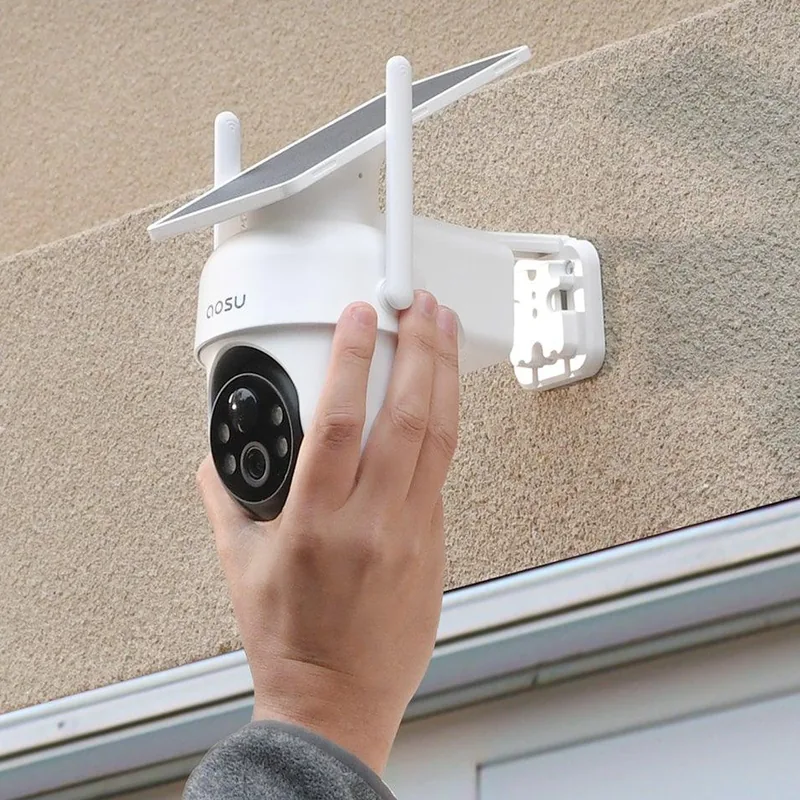
Aosu SolarCam D1 Classic Kit
Solar-powered outdoor camera kit with local footage storage and no required cloud plan — mounts without new wiring or a professional installer.
Key Features
- Solar panel removes the need for battery swaps or a charging cable run
- 2K color night recording instead of black-and-white low-light footage
- Companion app supports multiple family logins, each with their own alerts
- Weatherproof housing built for outdoor mounting in rain, heat, and cold
- Works with Alexa and Google Assistant for voice-based status checks
Best for
Homeowners who want outdoor camera coverage without running new wiring or paying an ongoing cloud fee
A practical safety gift for a parent's home — no electrician needed, and adult children can get motion alerts on their own phones too.
Worth knowing
Full functionality — viewing footage, adjusting motion zones, granting family access — depends on a smartphone app, so setup goes more smoothly with someone comfortable configuring one involved from the start.
I may earn a commission at no extra cost to you.
Do solar security cameras work without WiFi?
The kit ships with a wall-mounting bracket, screws, and a printed quick-start card. Pairing each camera to the companion app is the only setup step that isn't physical — there's no hub to configure and nothing to wire back to a router. For an adult child setting this up on a parent's behalf, the harder part of the job is choosing where to mount it, not configuring it.
Motion alerts arrive as push notifications the moment the camera detects movement, so checking in doesn't require opening the app and watching a live feed — the notification itself is usually enough to know something happened, with the option to look closer if needed.
Frequently Asked Questions
No. The kit includes local storage for recorded footage, so there is no required cloud plan. An optional cloud subscription is available for off-site backup if you want it.
The solar panel needs some direct sunlight during the day to keep the battery topped off. A mostly shaded mounting spot may need the camera's battery charged manually from time to time instead.
Yes. The companion app supports multiple user logins, so family members can each view the feed and alerts from their own phone.
How does it compare?
Other options in this category worth considering.
| Product | Price | Best for |
|---|---|---|
| Aosu SolarCam D1 Classic Kit This pick | $270–$370 | Homeowners who want outdoor camera coverage without running new wiring or paying an ongoing cloud fee | A practical safety gift for a parent's home — no electrician needed, and adult children can get motion alerts on their own phones too. |
| Kwikset Halifax Lever Door Handle Set | $30–$80 | All seniors with arthritis — every home has round knobs that require grip strength. Lever handles open with a closed fist or an elbow push. | A straightforward home upgrade for a parent with arthritis — levers replace round knobs on any standard door and take under 15 minutes each. |
| Mr. Beams Motion-Sensor LED Night Lights | $20–$60 | Any senior making unlit trips to the bathroom after dark — the light comes on before the first step, with no switch to find in the dark. | A safety install a visiting family member can finish in minutes: no electrician, and nothing for the recipient to operate afterwards. |
Prices are approximate ranges — check each retailer for today's price.
More in this category
Browse Door & Entryway AccessLast updated: .